Your own page: all your gigs, My pay and things on loan
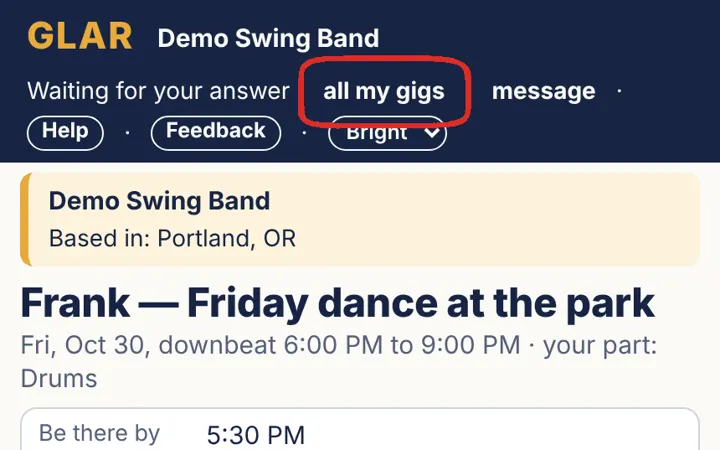
You don't need to sign in to answer invites. Signing in gives you one page with everything.
- Go to Sign in and tap Forgot your password, or a group leader added you?
- Type the email your band has for you and tap Email Me The Link.
- Tap the link in the email, choose a password, and tap Save And Sign In.
Your page shows:
- all your gig invites and date checks, from every band you play in
- My pay: what you're owed for each gig you've played, and whether it's paid, when and how. Only you see this.
- On loan to you: books or equipment the band lent you, with the return date. Overdue items are marked.
The all my gigs link at the top of any invite page brings you here. GLAR only keeps the record of pay; your leader pays you directly.